Google Ads MCP Server
for any AI tool.
Connect Claude, Cursor, VS Code, or any MCP-compatible tool to your Google Ads data. Read-only access, secure OAuth, unlimited usage. Set up in under 2 minutes.
Your Google Ads data,
inside your AI tools.
AdRamp MCP is a free, public server that implements the Model Context Protocol — an open standard created by Anthropic that lets AI tools connect to external data sources.
Instead of switching between dashboards and spreadsheets, you can ask questions about your Google Ads performance in plain English — directly inside Claude, Cursor, or any MCP-compatible tool.
Connect in 3 steps.
Takes under 2 minutes.
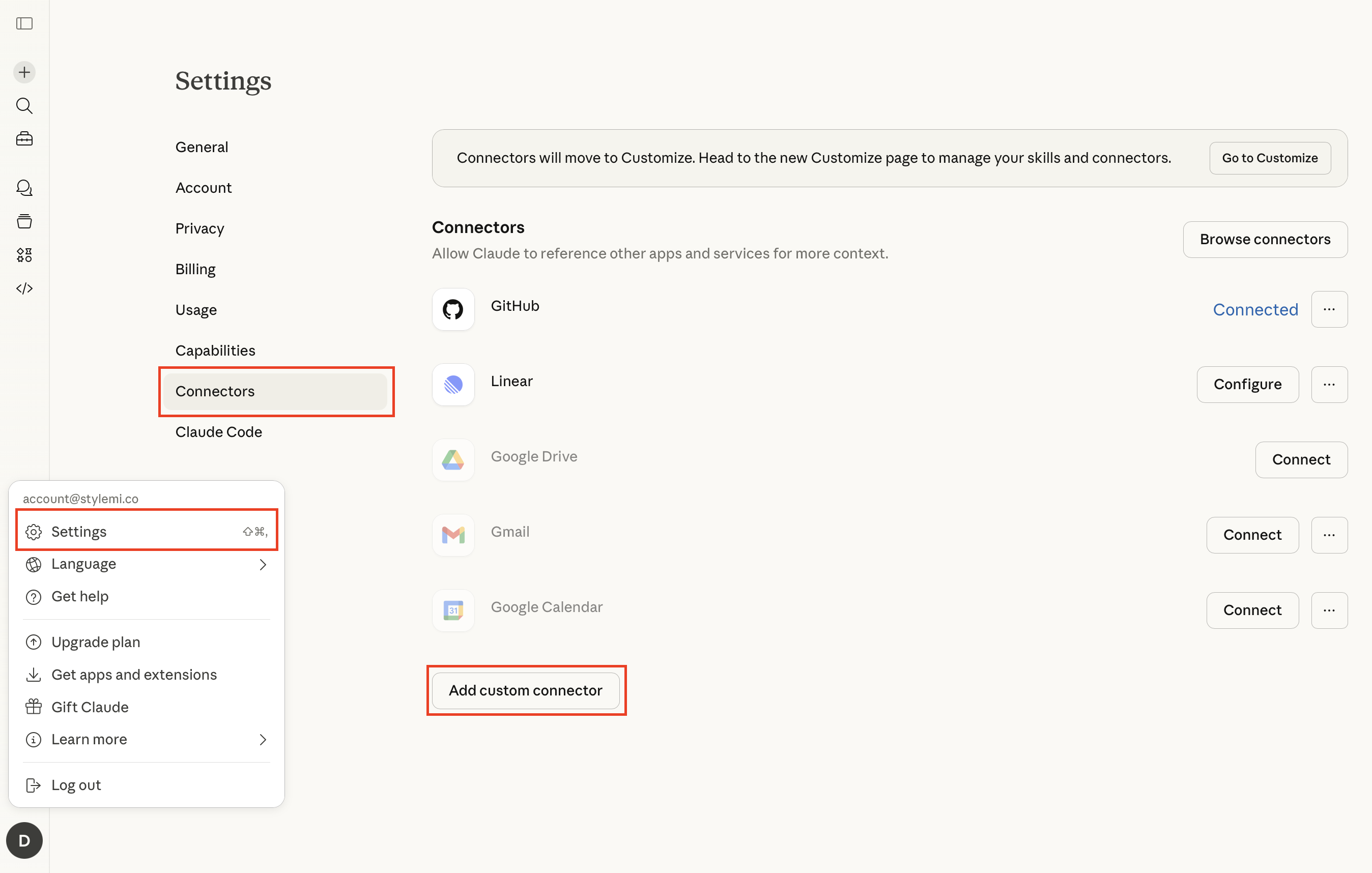
https://mcp.adramp.ai
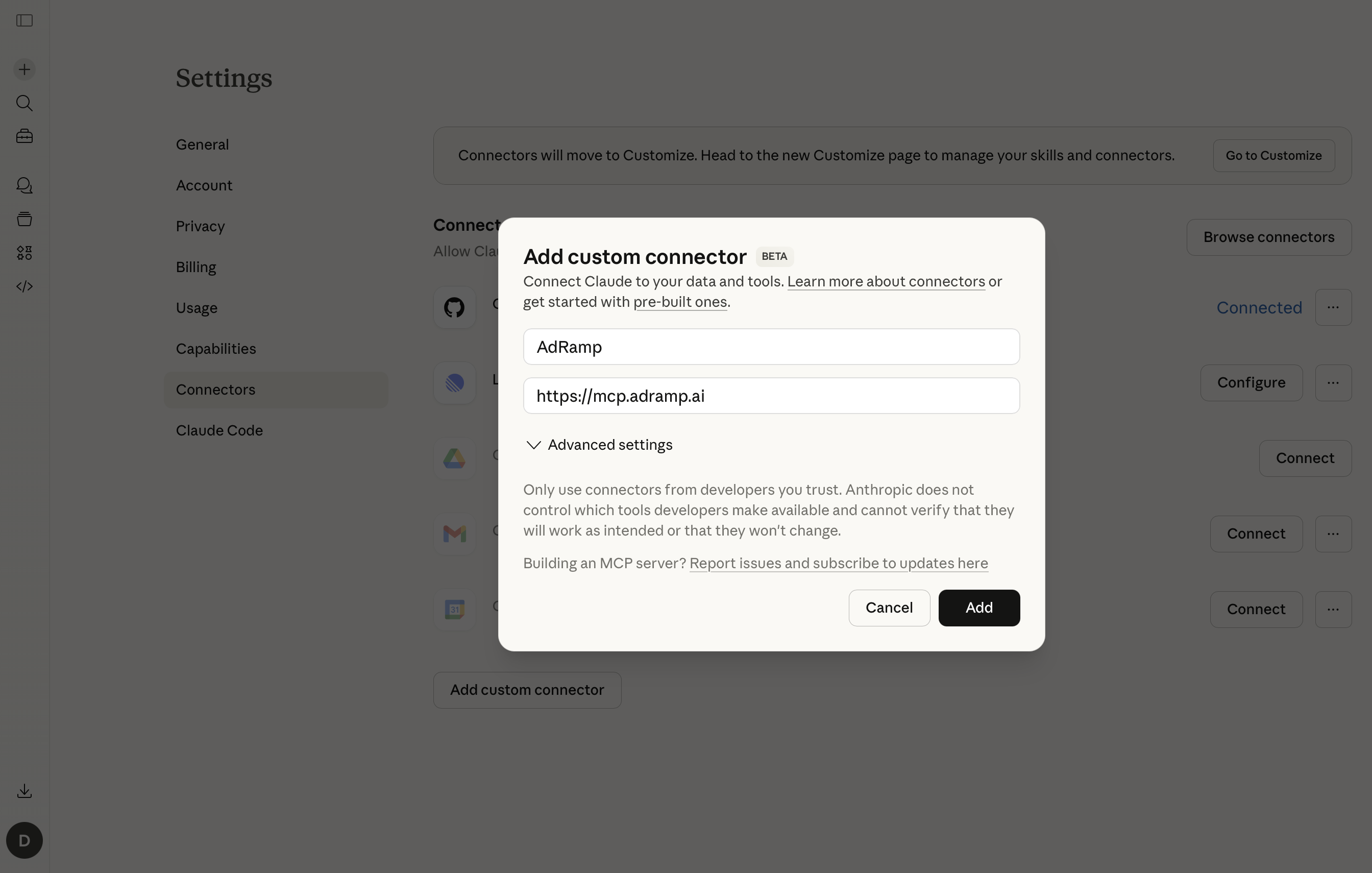
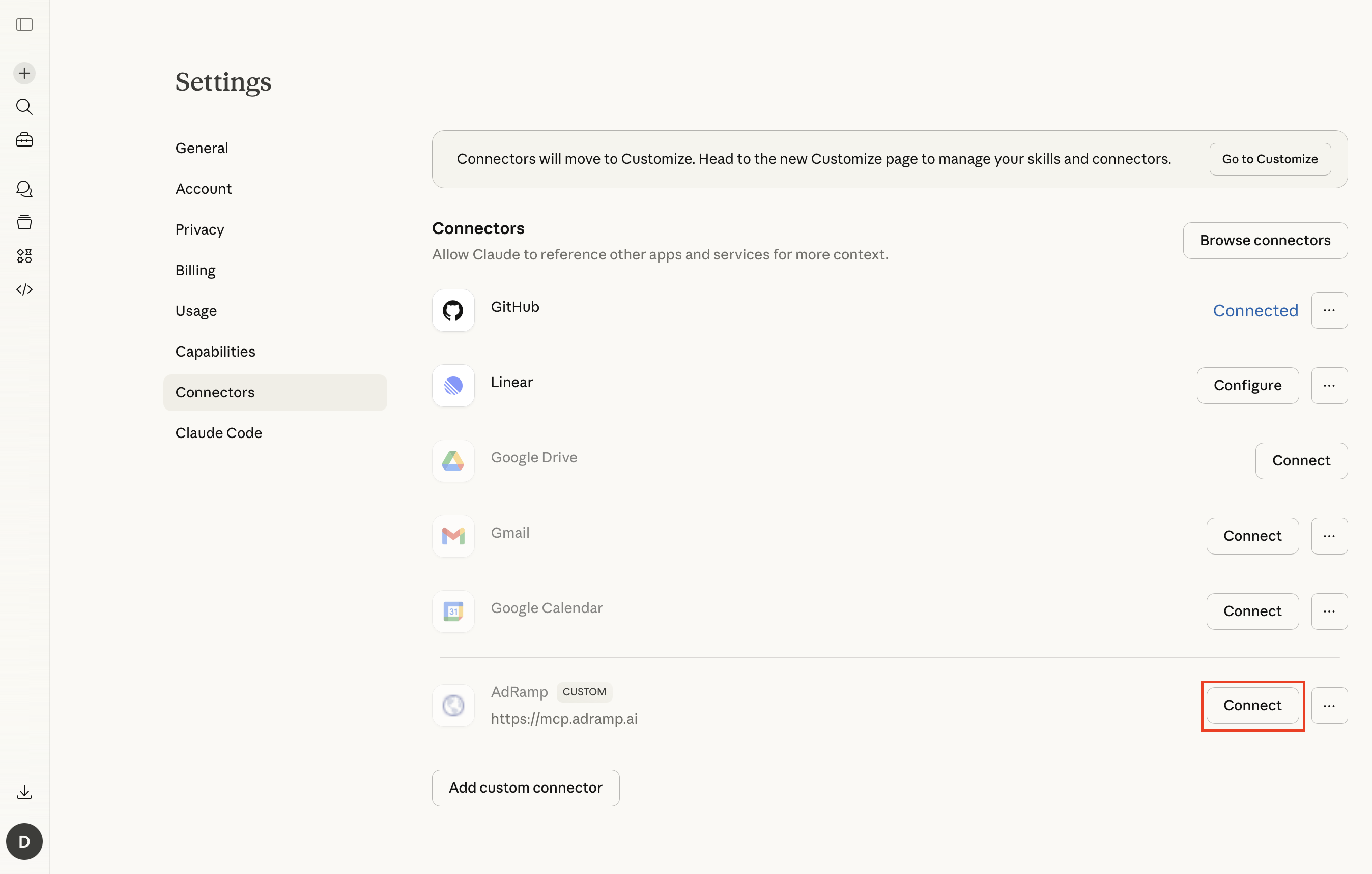
https://mcp.adramp.ai
{
  "mcpServers": {
    "adramp": {
      "url": "https://mcp.adramp.ai/sse"
    }
  }
}
What you can ask.
In plain English.
FAQ
Common questions
MCP stands for Model Context Protocol — an open standard created by Anthropic that lets AI tools like Claude connect to external data sources and APIs. Think of it as a universal adapter between AI models and your business tools.
Yes. The AdRamp MCP server is completely free with no rate limits, no API keys, and no usage caps. We built it as a public resource for the performance marketing community.
Absolutely. The MCP server uses read-only OAuth access — it cannot make any changes to your Google Ads account. Your data is never stored on our servers and is only passed through to your AI tool in real time. You can revoke access at any time from your Google account settings.
Any tool that supports the Model Context Protocol. This includes Claude.ai (Pro and above), Claude Code, Cursor, VS Code with Copilot, Windsurf, and more. The list keeps growing as MCP adoption expands.
Data freshness depends on Google Ads API reporting latency — typically 4 to 6 hours for most metrics. The MCP server queries the API in real time, so you always get the latest available data.
No. The MCP server works independently — you just need a Google Ads account. If you want the full AdRamp experience with dashboards, AI actions, and multi-channel support, you can sign up separately at adramp.ai.
No. This MCP server is read-only by design. It can only fetch and display your data — it cannot pause campaigns, change budgets, or modify anything in your account. For write access and AI-powered actions, check out the full AdRamp platform.
Ready to try it?
Connect your Google Ads data to any AI tool in under 2 minutes. Free, no account required.